The Silent AI Revolution-Your Web Browser
The headlines are dominated by massive, all-powerful AI models, and it’s easy to think of artificial intelligence as a destination—a separate application you open to ask a question or generate a masterpiece. But the more immediate, practical AI revolution isn’t happening in a standalone app. It’s happening quietly, right inside your web browser.
Specialized AI tools, seamlessly integrated as web browser extensions, are transforming the web from a passive library of information into an active, intelligent workspace. A deep dive into 2025’s top AI Chrome extensions reveals a fundamental shift—it’s not about the individual tools, but what their collective existence means for how we work, research, and think online. These are the five most surprising and impactful takeaways.

Specialized AI tools, seamlessly integrated as web browser extensions, are transforming the web from a passive library of information into an active, intelligent workspace.
Takeaway 1: Your Web Browser Has Become an AI Co-pilot for Everything
Artificial intelligence is no longer a separate tool you have to open in another tab. It has become a persistent, integrated layer on top of your entire web experience. The browser is now an active partner, ready to assist with any task on any page.
Nowhere is this shift more apparent than in tools like ChatGPT for Chrome (ChatGPT Sidebar) and Merlin AI. These extensions bring AI assistance directly to the page you’re on. You can summarize a dense article, draft a reply to a social media comment, or look up a concept without ever leaving your current tab.
This is a game-changer because it eliminates context-switching, one of the biggest drains on digital productivity. By making AI assistance instantaneous and contextual, these tools fundamentally change the browser’s role. It’s no longer just a window to view content; it’s an interactive co-pilot for getting work done.
Takeaway 2: There’s a Specialized AI for Every Single Annoying Task
While general-purpose AIs are impressive, the real power of the browser revolution lies in specialization. Instead of a single tool that does everything mediocrely, we now have a thriving ecosystem of hyper-focused extensions that excel at solving specific, often tedious, tasks with remarkable efficiency.
This trend allows you to build a personalized “AI toolkit” tailored to your exact workflow bottlenecks. A few examples demonstrate the sheer variety:
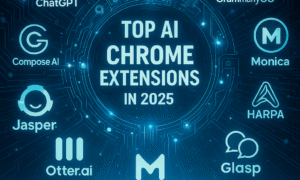
• For professional writing and marketing: Jasper AI generates high-quality, context-aware marketing copy directly on your platform, while GrammarlyGO moves beyond basic grammar to help you refine the tone and clarity of your writing.
• For meetings and voice notes: Fireflies.ai and Otter.ai completely eliminate the need for manual note-taking by automatically transcribing and summarizing audio from virtual meetings and voice recordings.
• For email overload: Compose AI tackles repetitive communication by auto-completing your sentences and drafting entire replies based on the context of the email thread, adapting to your personal writing style over time.
Takeaway 3: The Most Powerful Research Assistants Are Now Free
Just a few years ago, academic-level research tools, advanced fact-checking, and citation analysis were locked behind expensive institutional paywalls. Today, some of the most powerful research assistants are available for free, directly in your browser.
Perplexity AI stands out by providing fact-based, conversational answers to complex questions, complete with citations from its verified sources. For academics and scientists, Scite AI is a revelation. It shows you not just where a paper has been cited, but whether other studies support or contradict its findings. While its most advanced tools require a subscription, its core ability to validate claims is freely accessible. To round out the toolkit, Glasp allows you to highlight, save, and generate AI-powered summaries of any web content you’re reading.
The impact of this is profound. It democratizes access to high-quality information, empowering students, independent journalists, and lifelong learners. The once-tedious process of verification and fact-checking is now streamlined, making deep research more accessible than ever before.
Takeaway 4: AI Has Moved Beyond Just Words
The common perception of AI is that it’s all about text—writing emails, summarizing articles, and answering questions. But browser-based AI has become multi-modal, seamlessly handling visual and audio tasks without needing specialized software.
For visual work, the Canva AI Assistant is a prime example. Right in your web browser, its “Magic Edit” feature can alter or replace objects within an image, and it can generate entire graphics or social media posts from a simple text prompt.
On the audio front, tools like Otter.ai and Fireflies.ai act as your personal scribes, turning spoken words from meetings, interviews, and voice notes into searchable, summarized, and shareable text. This expansion into sight and sound transforms AI from a writer’s aid into a full-stack creative partner. Now, a single marketing manager can ideate a campaign, draft the copy, generate the visuals, and transcribe the follow-up strategy meeting—all within the same browser environment.
Takeaway 5: You Can Build a Custom AI Workflow by Combining Tools
The ultimate productivity gain doesn’t come from finding one perfect AI tool. It comes from becoming a skilled architect of your own AI-powered process, “stacking” multiple specialized extensions to create a seamless, end-to-end workflow. Instead of searching for a single app that does it all, you can combine the best-in-class tools for each step.
A practical workflow for a content creator might look like this:
1. Use Perplexity AI or the ChatGPT Sidebar to conduct initial research on a topic and generate a concise summary of key findings.
2. Use that research as a foundation to draft an article, using GrammarlyGO to refine the writing and Jasper AI to craft compelling headlines and marketing copy.
3. Use Canva AI to instantly generate accompanying visuals or social media graphics based on the article’s main points.
This approach transforms your browser into a highly efficient assembly line for knowledge work. The future of productivity isn’t about finding one tool to rule them all, but about mastering the art of combining them. This redefines the power user: it’s no longer about mastering one complex piece of software, but about becoming a nimble architect of a personalized, AI-driven system.
Your Smarter Web Browser Awaits
The quiet integration of specialized AI has turned our web browser into profoundly intelligent and efficient environments. This isn’t a far-off future; the browser is no longer just a gateway to the internet—it’s your personalized assistant, ready to help you analyze, create, and automate your work effortlessly. In 2025, working smarter is powered by AI.
Now that AI can handle the busywork, what bigger problems will you choose to solve?